Payroll platforms spent years locking you out. Not anymore

Plane gives you full access to your data, your stack, your tools. Open API, MCP, CLI, and sandbox included on every plan from day one.

Works with

Any agent

Any agent

Payroll infrastructure, open by default.

Most payroll platforms lock you out by design. Plane gives you the keys. Everything available in the platform is available in the API.

Payroll infrastructure, open by default.

Most payroll platforms lock you out by design. Plane gives you the keys. Everything available in the platform is available in the API.

Payroll infrastructure, open by default.

Most payroll platforms lock you out by design. Plane gives you the keys. Everything available in the platform is available in the API.

Built like infrastructure should be.

Payroll infrastructure that runs itself.

The Plane API is REST-based with predictable resource-oriented URLs, standard HTTP response codes, and JSON throughout. If you can make an HTTP request, you can use the Plane API.

Any language.

Try it with cURL, then call it from Python, Node.js, Ruby, or whatever you use.

Isolated credentials.

Test keys only work against the sandbox, so live data is unreachable from a test call.

Admin-controlled access.

Only admins can generate API keys, so access is always intentional.
Build anything that touches payroll.

Build anything that touches payroll.

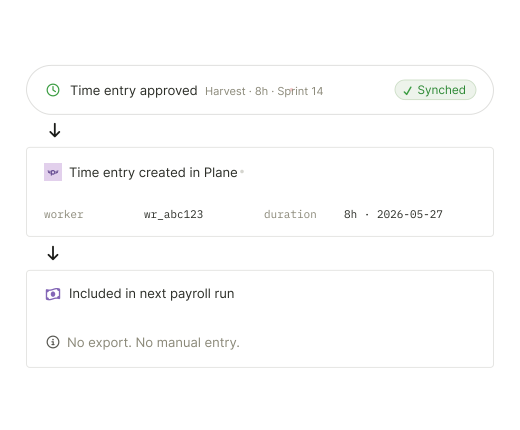
Sync your time data to payroll

Connect Paylocity, Harvest, or any other system to Plane, and approved entries flow through automatically. No exports, no manual entry.

Automate onboarding

Trigger new worker records from your ATS or HR system, and Plane handles contracts, payment details, and compliance.

Build approval workflows

Set the conditions once. Payments go out when they're met, without anyone logging in to start them.

Manage time off programmatically

Submit, approve, or decline leave requests from your tools.

Build event-driven workflows with webhooks

Plane pushes updates to your other systems in real time.

Sync your time data to payroll

Connect Paylocity, Harvest, or any other system to Plane, and approved entries flow through automatically. No exports, no manual entry.

Automate onboarding

Trigger new worker records from your ATS or HR system, and Plane handles contracts, payment details, and compliance.

Build approval workflows

Set the conditions once. Payments go out when they're met, without anyone logging in to start them.

Manage time off programmatically

Submit, approve, or decline leave requests from your tools.

Build event-driven workflows with webhooks

Plane pushes updates to your other systems in real time.

Your AI tools can run payroll now.

Connect Claude, ChatGPT, or any AI agent. Trigger payroll runs, pull worker data, onboard contractors, and handle routine tasks.

Your AI tools can run payroll now.

Connect Claude, ChatGPT, or any AI agent. Trigger payroll runs, pull worker data, onboard contractors, and handle routine tasks.

MCP

Add Plane as a connector to Claude, ChatGPT, or any MCP-compatible agent and authorize it to run your workflows.
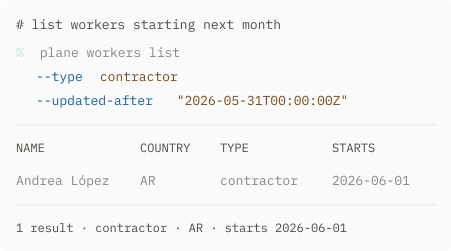
CLI

Call Plane directly from the command line and wire it into your scripts or AI coding tools.
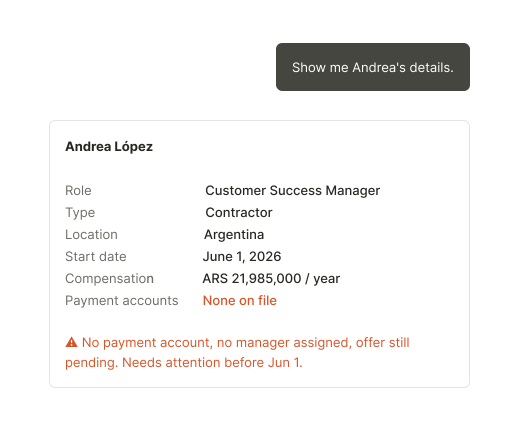
With Plane’s open access, you can…

With Plane’s open access, you can…

Choose how you want to work

Some people live in Claude. Others live in their terminal. Plane meets you wherever you are.

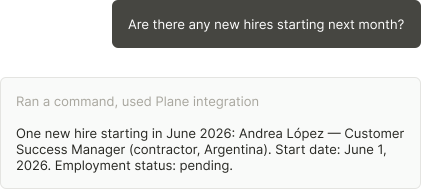
Get instant answers from your payroll data

Ask anything about your team, your payroll runs, or your contractors and get an answer in seconds.

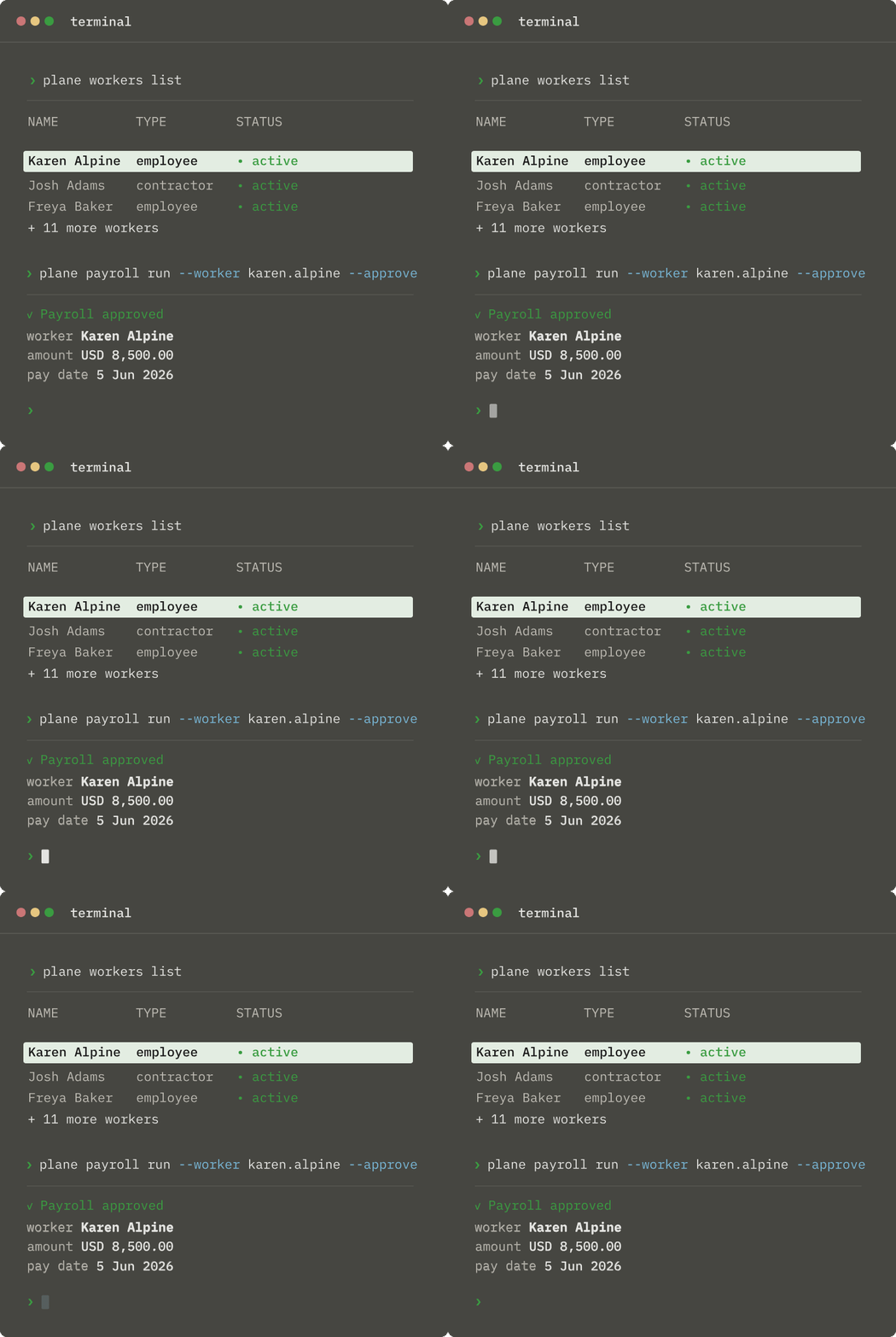
Delegate payroll runs to your agent

Once connected, set the conditions and your agent runs payroll when they're met. No manual check, no tab to open.

Push payroll data where it needs to go

Send headcount reports to finance, feed your commission calculator into the next payroll run, and trigger updates in your HRIS the moment a contractor record changes.

Choose how you want to work

Some people live in Claude. Others live in their terminal. Plane meets you wherever you are.

Get instant answers from your payroll data

Ask anything about your team, your payroll runs, or your contractors and get an answer in seconds.

Delegate payroll runs to your agent

Once connected, set the conditions and your agent runs payroll when they're met. No manual check, no tab to open.

Push payroll data where it needs to go

Send headcount reports to finance, feed your commission calculator into the next payroll run, and trigger updates in your HRIS the moment a contractor record changes.

Backed by Plane’s security

Backed by Plane’s security

SOC 2 Compliant.

Connecting via MCP or CLI carries the same security posture you already trust when you log into Plane directly.

Permissions-based access.

Your role in Plane determines what you can see and do. That doesn't change when you connect via MCP or CLI.

Build. Break.
Fix. Ship.

The scariest part of automating payroll: running it live with real people and real money. That’s why we give every plan a sandbox that runs the full API. 

Plane's sandbox is an isolated workspace with side effects blocked. You can test onboarding contractors, sending payments, and triggering runs without touching production. 

Build. Break.
Fix. Ship.

The scariest part of automating payroll: running it live with real people and real money. That’s why we give every plan a sandbox that runs the full API. 

Plane's sandbox is an isolated workspace with side effects blocked. You can test onboarding contractors, sending payments, and triggering runs without touching production. 

Isolated data

You start with a clean workspace, without any live data copied into the sandbox.

Non-billable

Sandbox activity doesn’t count toward billing.

Protected side effects

Money movement, stateful providers (e.g., tracking of information), and outbound email delivery are disabled.

Test credentials

Sandbox API keys can only access the sandbox they belong to.

FAQs

How do I access the API, CLI, and MCP?

To get started with the API, see our guide. Please note that only admins can create API keys. The CLI is available for all admins and managers. Check out our CLI guide. The MCP is currently available for early access. Contact Support to get on our waitlist.

Is my information secure when using Plane's API, MCP, and CLI?
Is Plane easy to set up in my existing systems?
How will an open API help me run payroll?
How does Plane work with my AI agent?
I have international contractors and employees. Can I use Plane to run payroll for non-US-based workers?
Are there any hidden fees associated with running payroll through Plane?
Do I need to be technical to use Plane?

FAQs

How do I access the API, CLI, and MCP?

To get started with the API, see our guide. Please note that only admins can create API keys. The CLI is available for all admins and managers. Check out our CLI guide. The MCP is currently available for early access. Contact Support to get on our waitlist.

Is my information secure when using Plane's API, MCP, and CLI?
Is Plane easy to set up in my existing systems?
How will an open API help me run payroll?
How does Plane work with my AI agent?
I have international contractors and employees. Can I use Plane to run payroll for non-US-based workers?
Are there any hidden fees associated with running payroll through Plane?
Do I need to be technical to use Plane?

FAQs

How do I access the API, CLI, and MCP?

To get started with the API, see our guide. Please note that only admins can create API keys. The CLI is available for all admins and managers. Check out our CLI guide. The MCP is currently available for early access. Contact Support to get on our waitlist.

Is my information secure when using Plane's API, MCP, and CLI?
Is Plane easy to set up in my existing systems?
How will an open API help me run payroll?
How does Plane work with my AI agent?
I have international contractors and employees. Can I use Plane to run payroll for non-US-based workers?
Are there any hidden fees associated with running payroll through Plane?
Do I need to be technical to use Plane?

See what your agents can do.

Grab time and we'll show you CLI and MCP working against real payroll data.

See what your agents can do.

Grab time and we'll show you CLI and MCP working against real payroll data.