Sandbox: A safe way to build and test payroll and HR automations
Experiment with your automations using the full Plane API. Sandboxes are now included for every plan.
Author
Last Update
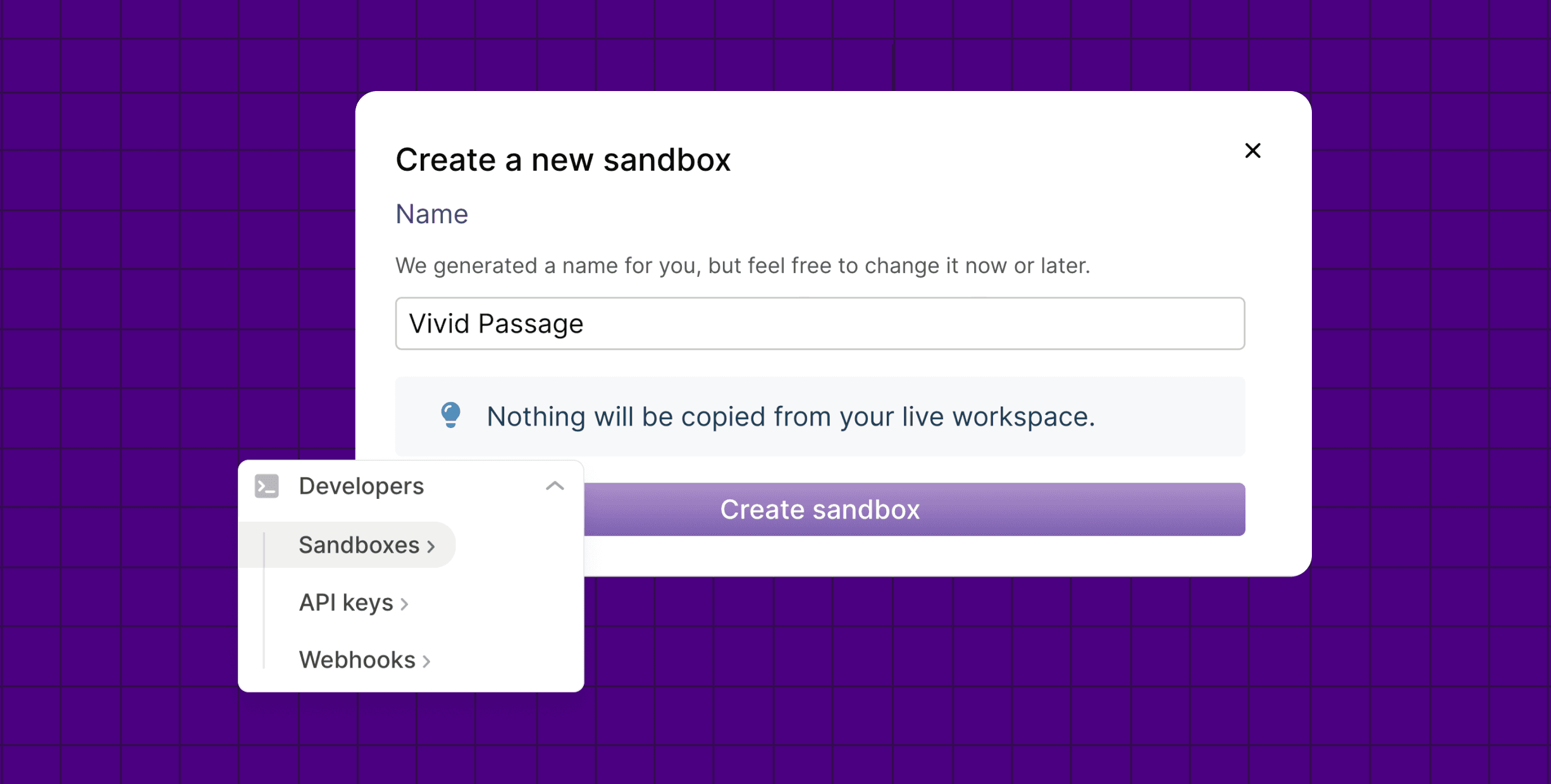
Table of Contents
Loading headings...
Payroll and HR should work like infrastructure: programmable, API-first, built to fit your workflows instead of dictating them. But anyone who’s set up a payroll or HR automation knows the scariest part is running it the first time against real data. One bad loop and you’ve paid 40 contractors twice.
That’s why we built the new Plane sandbox, an isolated workspace where you can run anything against the full Plane API. Onboard contractors, send payments, push time entries, and more — without moving real money or affecting real people. Experiment confidently.
What the Plane API covers
The Plane API is included for free for every plan level, with no extra usage fees. We believe your data is yours, and you (and your agents) should be able to freely access and work with it.
What can you do with the API? Here are some common available tasks:
Onboard workers
Send payments and approve, decline, or pay payment requests
Submit, approve, decline, or cancel time off and leave requests
Create, update, and delete time entries
Receive real-time events from Plane via webhooks
For a full list of what you can do in the Plane API, see our Working with the API documentation.
If there are any features you’re interested in that are not available, we’d love to hear from you. Our goal is to enable you and your agents to perform any action through the API that you can perform within the Plane platform, and we are constantly adding more features to Plane API.
How the sandbox works
Sandboxes are isolated workspaces you can use to test your Plane integration or try features without affecting real data. They act like regular workspaces in the UI and API, but with all side effects blocked.
Isolated data: You start with a clean workspace, without any live data copied into the sandbox
Non-billable: Sandbox activity doesn’t count toward billing
Protected side effects: Money movement, stateful providers (e.g., tracking of information), and outbound email delivery are disabled
Test credentials: Sandbox API keys can only access the sandbox they belong to
Sandboxes are available for admins. To create your sandbox, go to Developers > Sandboxes > Create sandbox. As with the API, sandboxes are included for free for every plan level.

Have an HR workflow you want to solve with AI?
Tell us what you're stuck doing by hand. If it's a good fit, we'll build it for free.
Getting started with the API
For questions about the API or to request an API feature, contact our Support team at support@plane.com. We can put you on a Slack channel with our team for direct support. You can also view our full API documentation online. Please note that only admins can create API keys.
API access is free for all plans. Spin up a sandbox in your dashboard and start building.

Asta So is a product marketing manager at Plane, where she covers product launches and company news. She has spent two decades in marketing and people ops for B2B SaaS companies and holds an MFA in creative writing.